What it does
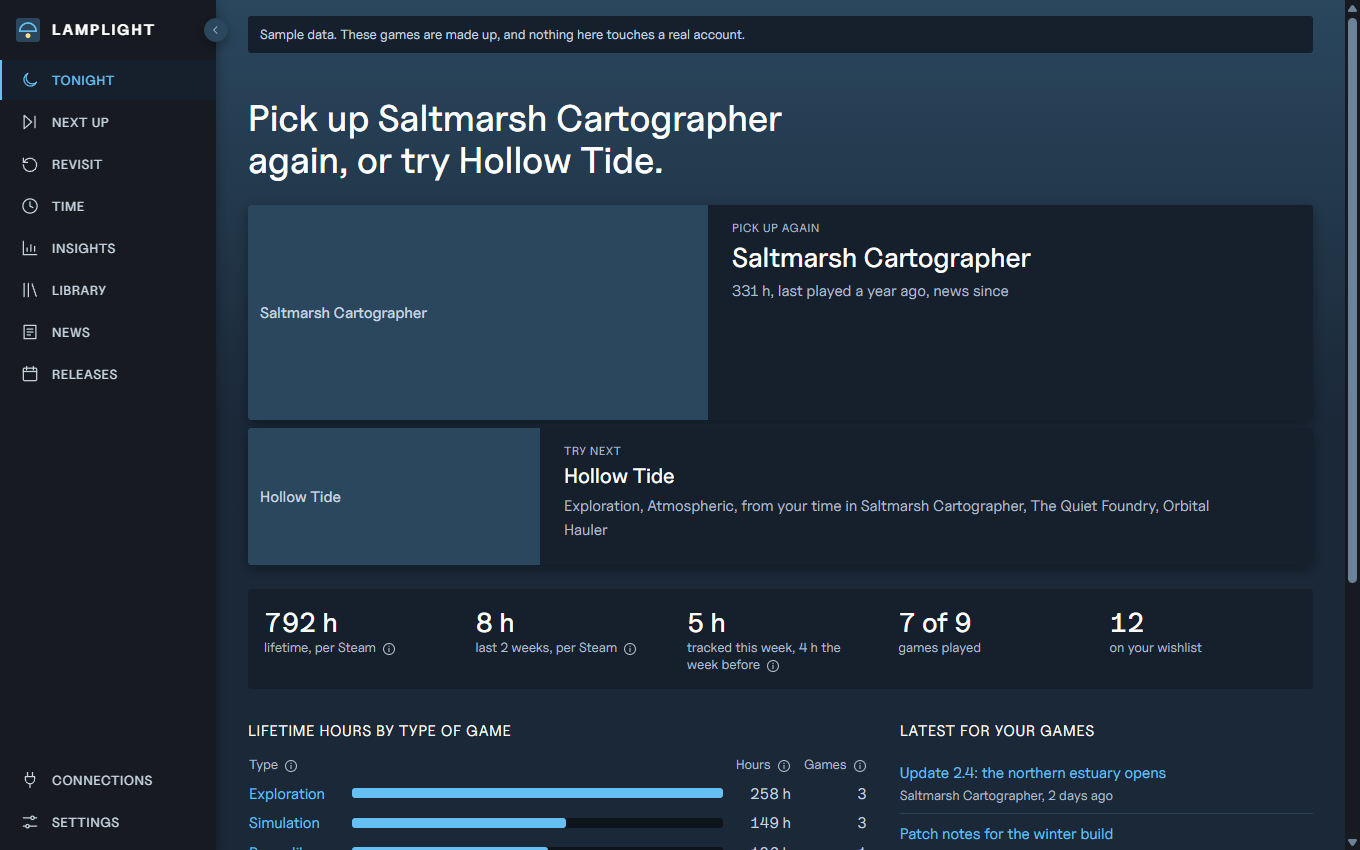
- Tonight picks one game to return to and one to try, and says why.
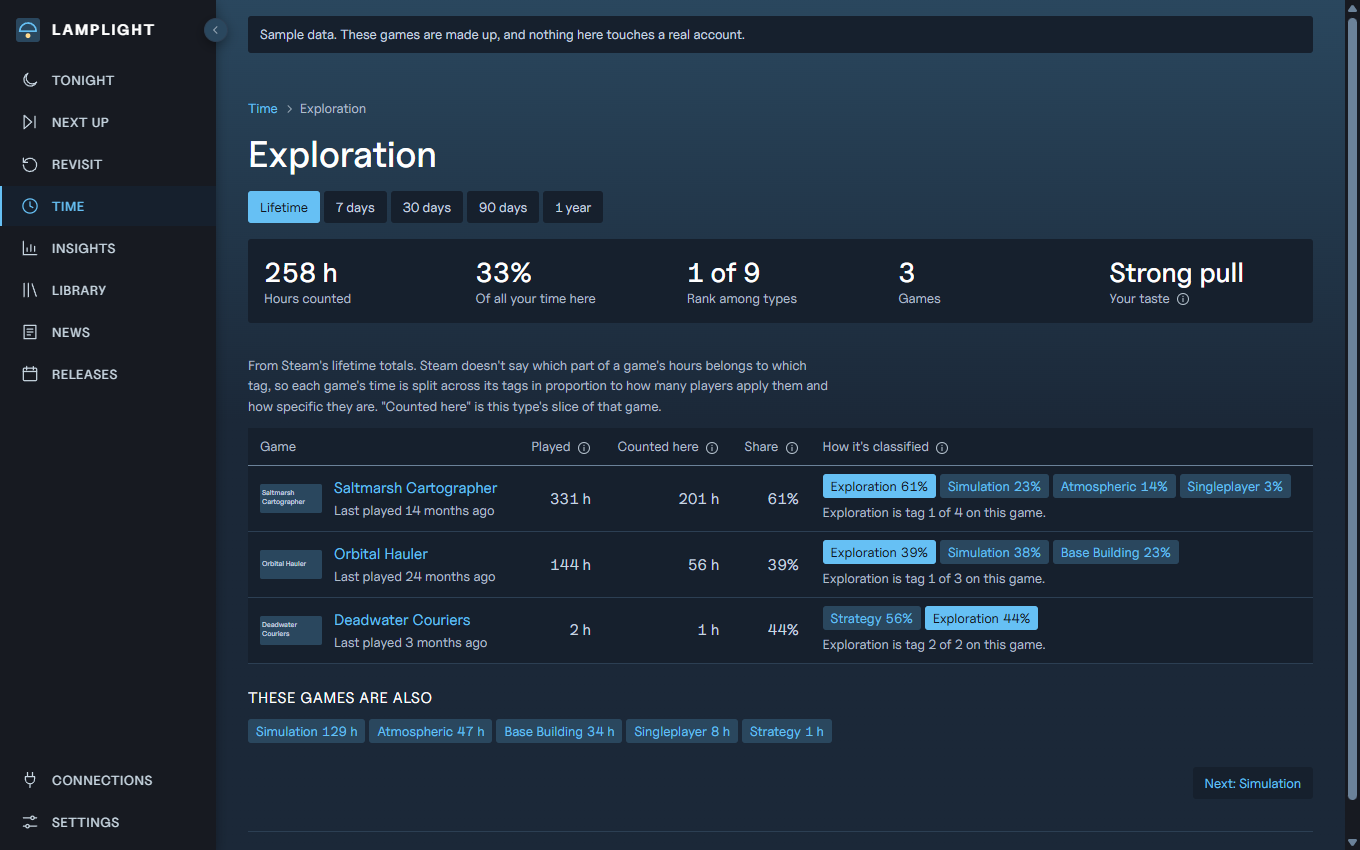
- Time adds up your hours by type of game, for your whole library and for each week from the day you start it. Click a type to see each game in it and how it was classified.
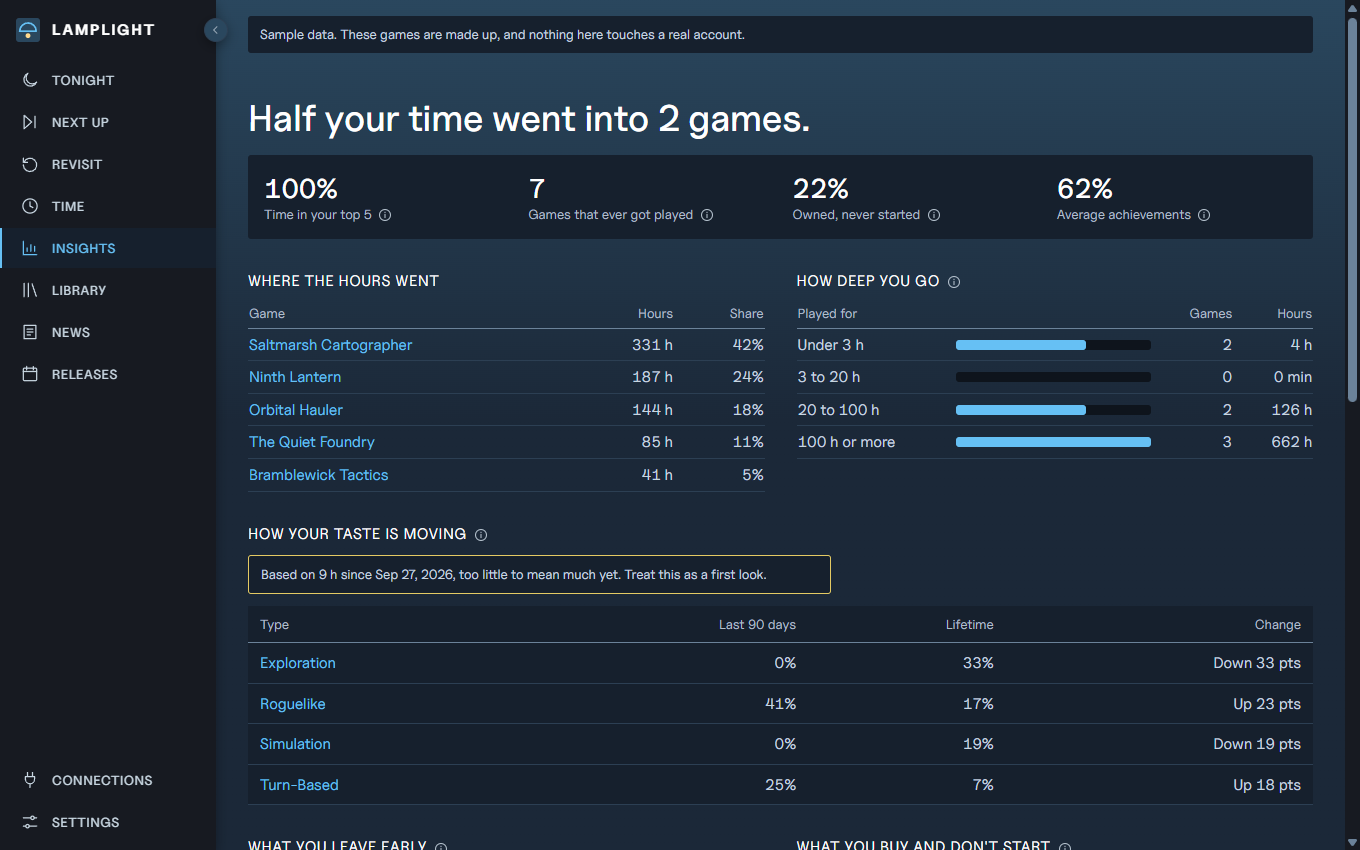
- Insights shows how your taste is moving, what you leave early, what you buy and don't start, and the studios you keep returning to.
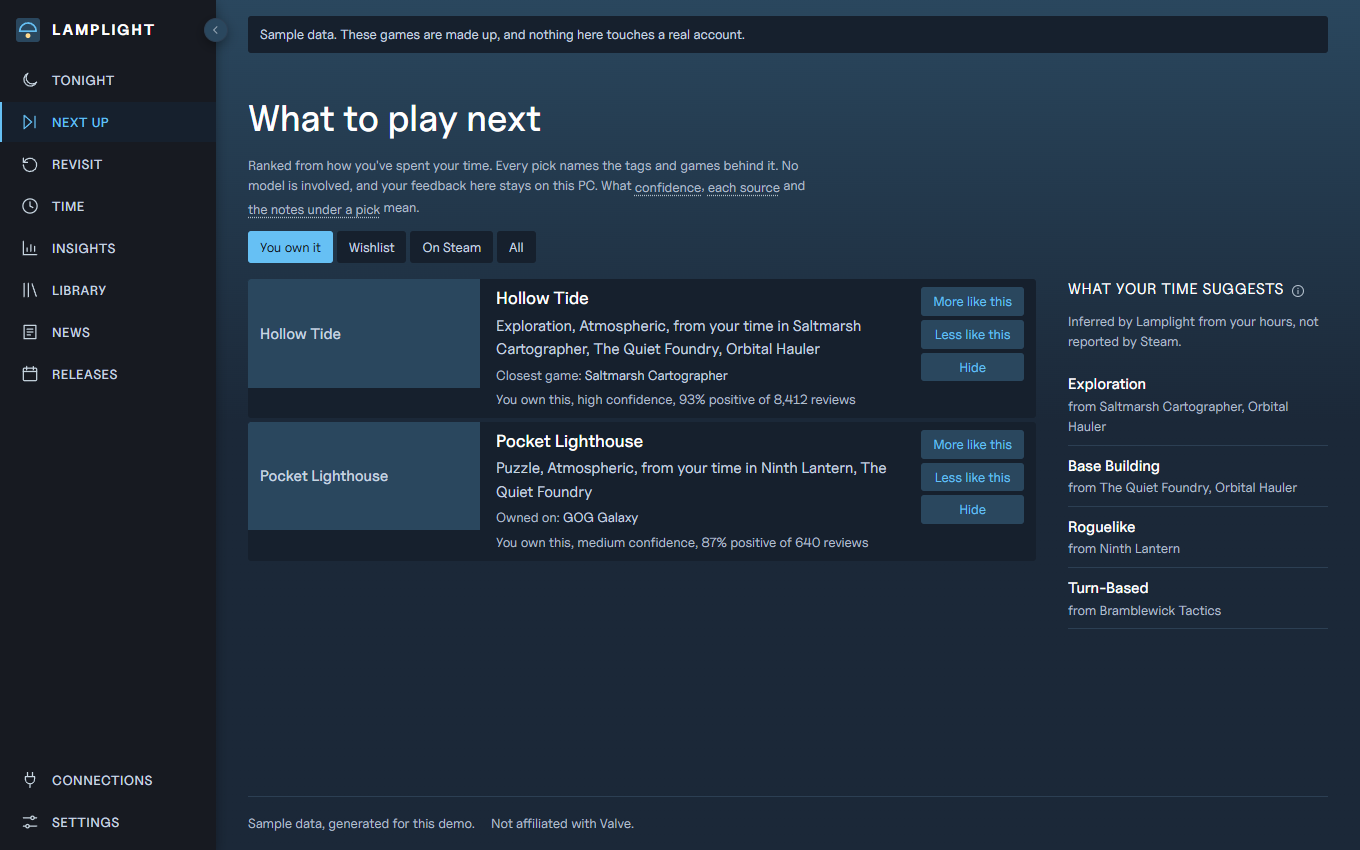
- Next up ranks your backlog, wishlist and other Steam games by how you've actually spent your time, and names the tags and games behind each pick. No AI model is involved.
- Revisit finds the games you put serious hours into and stopped, and the ones you barely tried.
- News and Releases follow the games you own and the ones you're waiting for.
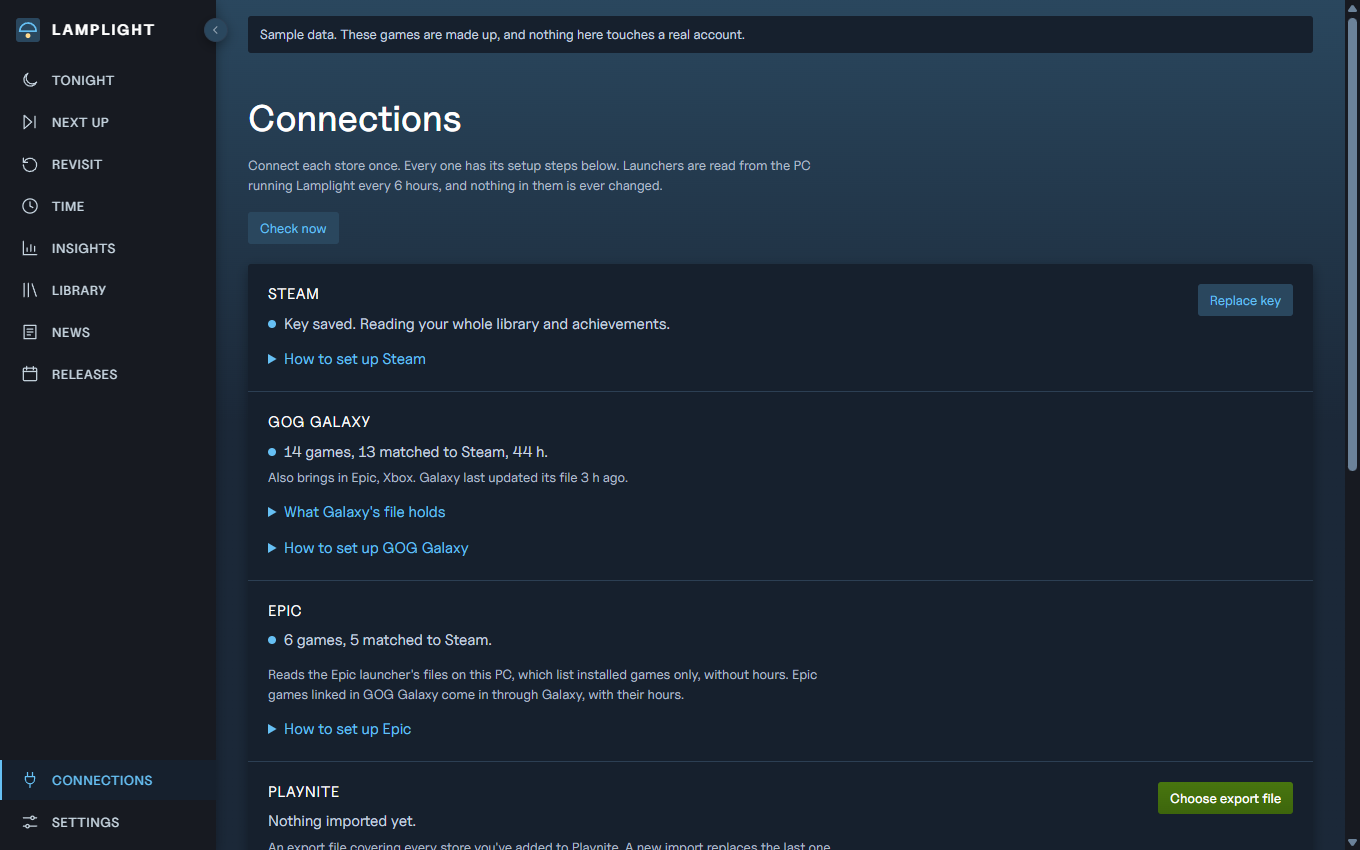
- Connections connects Steam, GOG Galaxy, Epic and Playnite from one page, with numbered setup steps for each.
- Friends pairs you with a friend who runs Lamplight, to see what you both play and what to play together. Each pairing is just the two of you. Off until you set it up.
What it reads
Lamplight runs on your PC and keeps your data there, with no account and nothing to sign up for. It reads the files Steam keeps on your computer. It also asks Steam's public store and news services about your games, so Steam sees those requests. It can't change anything in Steam, and it can't log in to your account.
The one other service is the Friends relay, and only once you set Friends up. Your games, hours and name are sealed on your PC before they go there, so the relay holds bytes it can't read. Invite codes work once and expire after 7 days unused.
If you use other stores, it also reads what the Epic launcher and GOG Galaxy keep on your PC, and a file you export from Playnite. Either can also bring in Xbox, Battle.net, Ubisoft and others: GOG Galaxy for stores you've linked inside it, Playnite for its library add-ons. It never signs in to them, and it looks each title up on Steam to match it. Those games join your recommendations, and their hours stay out of your Steam time. GOG Galaxy's file has been read on one real PC; the Epic launcher's files and Playnite's export only on sample files.
A free Steam Web API key is optional. It adds achievements and any games missing from those local files.
Start it
- Unzip the download somewhere permanent, such as your Documents folder. You'll need Steam installed and 64-bit Windows.
- Double-click
Lamplight.exe. Your browser opens the app, and a small window stays open while it runs.
- To have it start quietly each time you sign in, open a Command Prompt in that folder and run
Lamplight.exe autostart on. Weekly hours only count while it's running.
Why Windows warns you
This program isn't code-signed, so Windows may show "Windows protected your PC". If you trust where you got the link, choose "More info", then "Run anyway". To confirm your copy is the published one, run certutil -hashfile lamplight-0.11.0-windows-x64.zip SHA256 and compare the result with this:
7f171bf5285df2ba7a99170897c23cfee5dc9bfefefe45f3fe8d5dc7f19fff08
Mac and Linux
The Mac and Linux download (0.4 MB) runs on your own copy of Node.js, version 22.13 or newer. Unpack it somewhere permanent and run node lamplight.cjs in that folder.
It hasn't been tried on a Mac yet. On Linux it has only been tried in a container with sample Steam files, not with Steam itself. On both, Lamplight can't see which game is running, so your hours update after you stop playing and Steam saves them, with no live sessions. Starting it at sign-in is up to you, and the README shows the command.
To confirm your copy, run sha256sum on Linux or shasum -a 256 on a Mac, and compare the result with this:
59def6c4e7d00f5edc36c9d5e22c90514587ab4529e06b70cabad757bcb0d8f7
Release history
The buttons at the top of this page always download the newest version. To update, download it and replace the old program. Your data stays where it is.
Lamplight was called Playledger until version 0.6.0. If you had Playledger, end it in Task Manager, then start Lamplight: it moves your games, hours and settings over by itself, and takes over autostart if you had it on.
Version 0.11.0 Latest
November 9, 2026
- Install Lamplight from inside it: it moves into your Programs folder, adds a Start menu entry and shows up in Installed apps. No admin rights. Uninstall from Installed apps without a console window, and your data stays.
- Check for updates when you ask, or once a day if you turn that on (off until you do). An update is only used after its download matches the published hash.
- Opened from the Start menu, Lamplight runs in its own window and stops about 15 minutes after the last window closes, so nothing runs in the background when you're not using it.
- Phone view: turn it on from Add friends and open your own games, hours and backlog on your phone. It is sealed under a key only your link holds, so the relay can't read it.
- Settings has tabs: Connections, Sync, Colours, Content and About. Connections moved here from the sidebar, and old links still land on the right tab.
- Colour schemes in Settings: Artifact Machine stays the default, with Steam, PlayStation, Xbox, Nintendo, GOG, Epic Games, itch.io, EA and Ubisoft looks, each checked for readable contrast.
- Friends opens on comparing: everyone together, then a tab per friend. Invites and your card move to Add friends.
- Group rules on Friends: a rotation, a note on where you left off, vetoes by tag or game, filters for games nobody has to buy or short ones, and a weeknight reminder.
- The Library shows one row per game across Steam, GOG and Epic, with the stores it's on. Playtime is the most any store reports, never the sum.
- Pick one for me by mood (anything, short, with others, alone), and Next up shows the weights behind each score. Time by type of game moved into Insights, with a year in review.
- A pasted Steam key saves itself, after Steam confirms it works. Matching to Steam offers Steam's closest titles as one-click buttons.
- The stores re-read soon after Galaxy, Epic or a Playnite export changes, and Lamplight finds the Playnite export file itself.
- Tonight shows how far setup has got until every store is connected.
- Fixed: folders with accented letters in their names (like José) broke the Start menu and uninstall scripts.
- The sidebar logo lost its square and is a little bigger.
- Friends now uses lamplight-relay.artifactmachine.studio. Setups made earlier keep working on the old address.
- No Lamplight yet for a friend? lamplight.artifactmachine.studio shows a Steam library on one page after signing in through Steam.
Version 0.10.0
November 6, 2026
- Play as a group: tick up to 7 friends and see what you all own, what someone would need (or can join through one copy over Remote Play Together), free-to-play games that suit the group, games on two or more of your wishlists, and a grid of who owns what. Steam doesn't publish how many players a game takes, so check the store page before anyone buys.
- Copy message puts "Want to play X tonight?" and the store link on your clipboard, ready to paste into a chat. Lamplight never sends it.
- Game pages list the friends who own the game, with their hours, recent hours, and whether they liked it or are up for co-op.
- Mark a game Up for co-op on its page, and it goes on your Friends card.
- What to play next gives a small lift to a game a friend played a lot or liked, never enough to rank it on its own, and always says so: "Loved by: Sam, from Friends".
- What friends are into lately, on the Friends page. Your card now carries your hours from the last two weeks, so friends can see what you've been playing lately.
- Put my wishlist on my card shares your wishlist with friends, so a group can see what you all want. It is off until you turn it on.
- New colours, after artifactmachine.studio: near-black, fine rules, one mint for links and the main button, amber for warnings.
- For AI clients: a play_group tool over MCP.
Version 0.9.0
November 6, 2026
- A friend's page suggests games to play together, in three lists: Ready to play, New to you both, and One of you has it. Each says how you'd play it and, when only one of you owns it, whether Remote Play Together lets one copy do or who'd need to buy it.
- Every suggestion gives a reason for each of you, from hours, likes and taste. Games you'd both enjoy come before ones only one of you loves.
- Only games two people in different homes can play are suggested: online, or couch games over Remote Play Together. Lamplight now reads Steam's store categories to tell them apart.
- Not for us takes a game off your suggestions with one friend, and Bring back returns it. The list stays on this PC and never goes on your card.
- To rank a friend's games for you, Lamplight looks up store details for up to 300 of their games you don't own. Steam sees those game ids asked for from your PC, not whose card they came from.
- Very large libraries are trimmed to fit a card, unliked and least-played games first.
Version 0.8.0
November 6, 2026
- Invites come as links. A friend clicks one and their Lamplight opens with the code filled in; they still press Add themselves. Copy code only is there for anyone who'd rather paste.
- A friend who doesn't have Lamplight yet gets a download button beside Open on the invite page, and the page keeps the code while they install it.
- Make as many invites as you like, one per friend. Waiting ones are listed with when each stops working, and Cancel invite stops a code at once.
- Setting up Friends now leads with joining from a friend's invite. The access-code form, only needed by whoever runs the relay, is folded away and marked Relay owner.
Version 0.7.0
November 6, 2026
- Friends: pair with a friend who runs Lamplight to see what you both play, what to play together, and what they love that you haven't tried. Each pairing is just the two of you; friends of yours don't see each other.
- Your card is sealed on your PC before it goes to the relay, so the relay can't read your games, your hours or your name.
- An invite code works once and stops working after 7 days if nobody uses it. A friend who lost access can be sent a new one.
- Friends is off until you set it up. Starting it needs an invite from a friend, or an access code from whoever runs the relay.
Version 0.6.0
November 6, 2026
- Playledger is now Lamplight, with a new mark: a lamp's shade over its light.
- The version and its release history moved from the sidebar to the end of Settings.
- Your games, hours and settings move over by themselves the first time Lamplight starts. If autostart was on, it now starts Lamplight. End the old Playledger in Task Manager first, or it keeps your data where it was.
Version 0.5.0
November 6, 2026
- Stores is now Connections: every store connects on one page, with numbered setup steps for each one, and the green button points at the next one to connect. The Steam key moved here from Settings.
- Far more games from other stores find their Steam match. The rule hasn't loosened: one exact match on Steam, or none.
- Games from GOG Galaxy bring their genres, critics' scores and purchase dates, and game pages show the hours and achievements other stores have for them. Connections shows how much each store filled in.
- A "Hide adult titles" setting, off by default. It keeps them out of suggestions and releases, never out of games you own.
- The sidebar folds from a small round button on its edge.
- Fixed: one game Steam failed to answer for could stop achievements updating for every game.
Version 0.4.0
November 5, 2026
- What to play next opens on games you already own. Wishlist, On Steam and All are one click away.
- GOG Galaxy brings in the other stores you've linked in it, such as Xbox or EA, each under its own name. A game on two stores counts its larger hours, never both.
- Fixed: GOG Galaxy could count games you never bought or added, and add-ons, as games you own.
Version 0.3.0
November 5, 2026
- Click anywhere on a row of hours, including its bar, to open that type of game.
- A new Stores page says whether GOG Galaxy, Epic and Playnite are connected, and walks through connecting each one.
- Playnite libraries can come in through the Playnite Library Exporter extension's file. Games Playnite got from Steam are left out, since Playledger reads Steam directly.
- A release history inside the app, and the sidebar shows which version you're on.
Version 0.2.0
November 5, 2026
- A Steam-style look, with a sidebar that collapses.
- Click a type of game to see each game in it and how it was classified.
- A new Insights page.
- Recommendations name the tags and games behind each pick.
- Reads the Epic launcher, GOG Galaxy and Playnite exports. Tried on sample files only so far.
Version 0.1.2
November 4, 2026
- A Mac and Linux download that runs on your own Node 22.13 or newer. Not tried on a Mac yet, and on Linux only in a container with sample files.
- Games you no longer own stay out of your counts, Abandoned and Forgotten.
- Achievements fill in faster.
Version 0.1.1
November 4, 2026
- Types of game give more weight to specific Steam tags than to common ones like Open World.
- The health check lists any job that has been failing for over a day.
Version 0.1.0
November 4, 2026
- The first release: a ledger of your Steam games for Windows. Unzip and run Playledger.exe.